
Task planning
With Z-Cron you can plan the execution of commands, programs or scripts, at particular times, so that recurring tasks on your PC are run automatically on schedule. Z-Cron is a central coordinating point for the scheduling or automation of software. With the Z-Cron you can have programs of all kinds started automatically by the system even if no user is logged in – for example, nightly data backups with Z-DBackup or Z-TapeBackup.
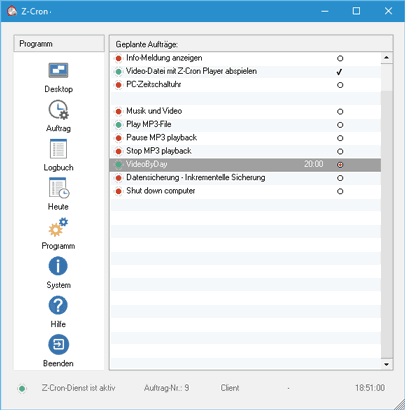
Example tasks that can be scheduled with Z-Cron:
- Starting and stopping of applications (also with parameters).
- Calling or saving of Websites.
- Loading documents.
- Starting, stopping and monitoring system services (professional version).
- Copying, moving and deleting files and directories.
- Cleanup of directories.
- Archiving and compressing files and directories.
- Switching computers in a network on or off.
- Automated switching of electrical devices, e.g. with Z-USBswitch.
- Establishing and disconnecting internet/VPN connections (Modem/ISDN).
- Putting computers to standby mode and waking them up automatically.
These tasks can be started automatically at the following points in time:
- Daily (every x days).
- Weekly (every x weeks at a weekday you can choose).
- Monthly (at the x calendar day or the x weekday of a month).
- Once.
- After the system startup.
- In regular intervals (e.g. every 5 minutes, every hour, etc.)
You can use Z-Cron scheduler in many different ways, for example:
- Regular data backup (for example, with Z-DataBurn or Z-TapeBackup).
- Automatic switching of electrical equipment or devices (for example with Cleware USB switches).
- Automatic FTP data transfer (for example with Z-FTPcopy).
- Defragmentation and Scan disk
- Virus scans
Z-Cron functions
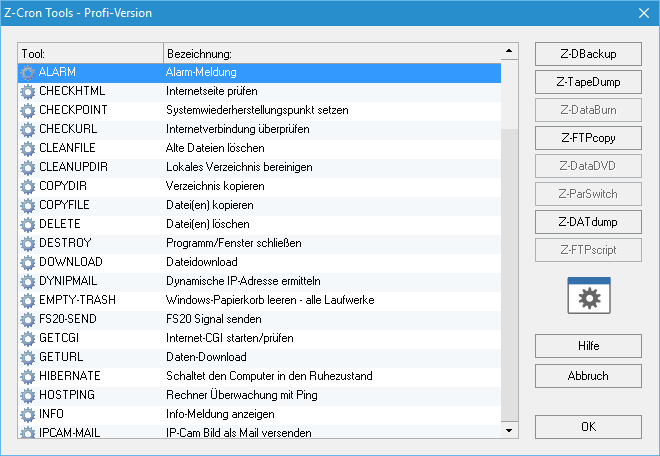
Z-Cron scheduler does not only start other applications but can also show popup windows with reminder text messages on the screen or shut down the system at a predefined time. The more than 100 embedded tools can be easily used by either just writing the command’s name into the input field (you have to use capital letters!) or using the button “Tools” for a tool selection menu.
System Service
The Z-Cron Scheduler can also be installed as a system service on Windows or Server 2022, 2019, 2016, 2012(R2) and 2008(R2). A service is a type of application that is run in the background and is comparable to a UNIX/Linux Daemon application. Services are special programs that provide functionality independent of logged-in users.
Data exchange between service and desktop
If Z-Cron is started as a service, it is by default running as a task of the (invisible) user account “LocalSystem”, which enables a data exchange between the service and the desktop, i.e. all applications started by the Z-Cron system service are shown on the user’s desktop.
Windows Server 2022, 2019, 2016, 2012(R2), 2008(R2)
Z-Cron
Freeware Version